If surface points and facets are stored in a JSON format file, the command BmSiteSurfaceCreate can be used to load and set data for the specified surface.
This is the last article in a series about working with topography surfaces. For the previous article, click here.
Example of Loading Data from a JSON Format File
The following example demonstrates how to load points and facets from a JSON format file.
#include "Database/BmTransaction.h"
#include "Main/BmSiteSurfaceHelper.h"
#include "Ed/EdCommandStack.h"
#include "Ed/EdCommandContext.h"
#include "ExBimCommandContext.h"
#include "ExStringIO.h"

OdBmDatabasePtr pDb = app->readFile(L"empty_project.rvt");
::odrxDynamicLinker()->loadModule(OdBmDevGuideCommands);

OdString sDataFile = app->findFile("TrianglesData_simple.json");
OdSmartPtr<ExStringIO> pStringIO = ExStringIO::create(sDataFile);
OdBmCommandContextPtr pDbCmdCtx = ExBimCommandContext::createObject(pStringIO, pDb);
::odedRegCmds()->executeCommand("BmSiteSurfaceCreate", pDbCmdCtx);

pSurf = pDbCmdCtx->funcIO()->result();
OdBmSiteSurfaceHelper helper(pSurf);
//… next, use the helper
Listing of TrianglesData_simple.json:
{"Points":[{"X":19857.26,"Y":20260.46,"Z":100.30},{"X":20249.13,"Y":19884.37,"Z":101.09},{"X":21330.38,"Y":20345.13,"Z":87.97},{"X":19657.44,"Y":21044.29,"Z":97.83},{"X":19917.07,"Y":21296.77,"Z":98.19},{"X":20257.67,"Y":21004.95,"Z":97.36},{"X":20567.17,"Y":21652.51,"Z":98.47},{"X":21403.70,"Y":21134.81,"Z":90.62}],"Facets":[[5,3,0],[5,4,3],[0,1,5],[5,2,7],[2,5,1],[7,6,5],[5,6,4]]}
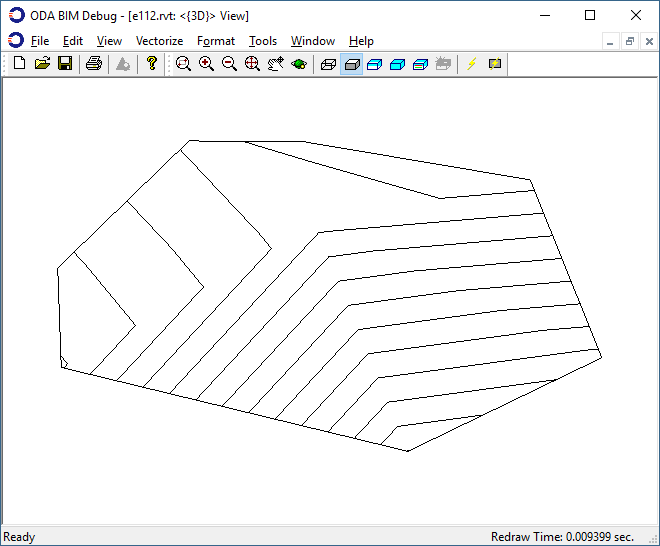
The look of the constructed surface is the same as the first picture in the second article of the series for creating a surface using points and facets.