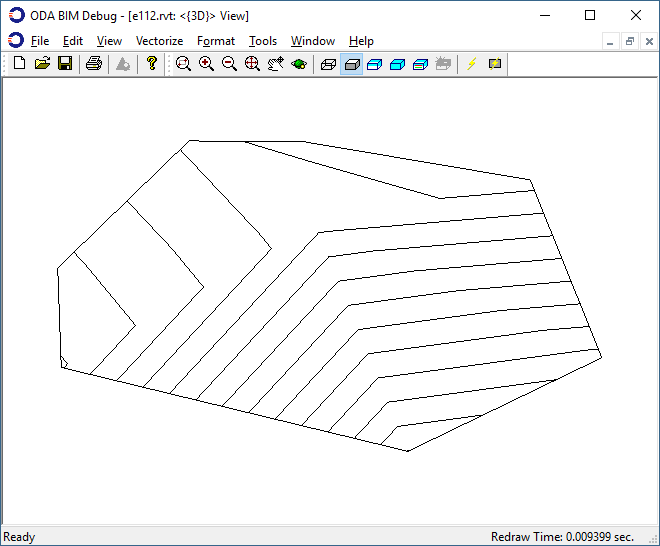
如果表面点和面存储在 JSON 格式文件中,则可以使用 BmSiteSurfaceCreate 命令加载并设置指定表面的数据。
这是关于使用地形表面系列文章的最后一篇。要查看上一篇文章,请点击此处。
从 JSON 格式文件加载数据的示例
以下示例演示了如何从 JSON 格式文件加载点和面。
#include "Database/BmTransaction.h"
#include "Main/BmSiteSurfaceHelper.h"
#include "Ed/EdCommandStack.h"
#include "Ed/EdCommandContext.h"
#include "ExBimCommandContext.h"
#include "ExStringIO.h"

OdBmDatabasePtr pDb = app->readFile(L"empty_project.rvt");
::odrxDynamicLinker()->loadModule(OdBmDevGuideCommands);

OdString sDataFile = app->findFile("TrianglesData_simple.json");
OdSmartPtr<ExStringIO> pStringIO = ExStringIO::create(sDataFile);
OdBmCommandContextPtr pDbCmdCtx = ExBimCommandContext::createObject(pStringIO, pDb);
::odedRegCmds()->executeCommand("BmSiteSurfaceCreate", pDbCmdCtx);

pSurf = pDbCmdCtx->funcIO()->result();
OdBmSiteSurfaceHelper helper(pSurf);
//… next, use the helper
TrianglesData_simple.json 的列表:
{"Points":[{"X":19857.26,"Y":20260.46,"Z":100.30},{"X":20249.13,"Y":19884.37,"Z":101.09},{"X":21330.38,"Y":20345.13,"Z":87.97},{"X":19657.44,"Y":21044.29,"Z":97.83},{"X":19917.07,"Y":21296.77,"Z":98.19},{"X":20257.67,"Y":21004.95,"Z":97.36},{"X":20567.17,"Y":21652.51,"Z":98.47},{"X":21403.70,"Y":21134.81,"Z":90.62}],"Facets":[[5,3,0],[5,4,3],[0,1,5],[5,2,7],[2,5,1],[7,6,5],[5,6,4]]}
所构建表面的外观与系列文章中关于使用点和面创建表面的第二篇文章中的第一张图片相同。