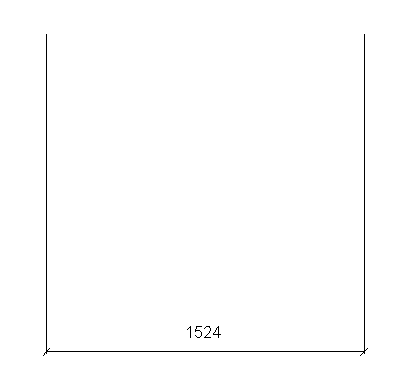
LinearDimension要素の目的は、2つの要素間に寸法(測定距離)を配置することです。例えば、以下のようになります。
- 参照平面
- 参照線
- モデル線
- シンボル線
- スケッチ内の曲線
- GenSweepのエッジ
- GenSweepの面
要素が互いに平行であることが重要です。
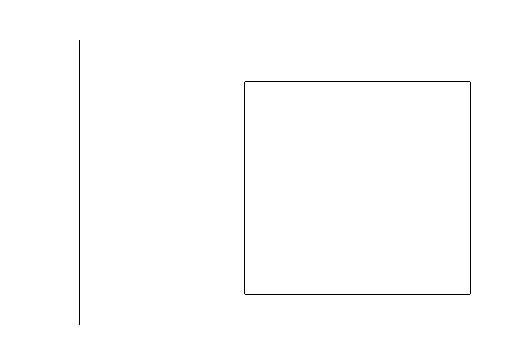
以下はLinearDimension要素を作成する例です。まず、CurveElemオブジェクトとExtrusionElemオブジェクトの面との間にLinearDimension要素が作成されます。
OdBmDatabasePtr pDb = app->readFile(L"Family2.rfa");

ODBM_TRANSACTION_BEGIN(t, pDb)
  t.start();
    OdBmGLinePtr pGLine = OdBmGLine::createObject();
    pGLine->set(OdGePoint3d(2.10358711161061, 4.59562230643384, 0), OdGePoint3d(4.65648409172057, 4.59562230643383, 0));

    OdBmGeomRefPtrArray arrGeomRefs;
    {
      OdBmGeomRefPtr pGeomRef = OdBmGeomRef::createObject();
      pGeomRef->set(pDb->getObjectId(OdDbHandle(2842))); // CurveElem
      arrGeomRefs.append(pGeomRef);
    }
    {
      OdBmGeomRefPtr pGeomRef = OdBmGeomRef::createObject();
      pGeomRef->set(pDb->getObjectId(OdDbHandle(2862)), 5); // face of ExtrusionElem
      arrGeomRefs.append(pGeomRef);
    }

    OdBmDBViewPtr pDBView = pDb->getObjectId(OdDbHandle(23)).safeOpenObject();
    OdBmLinearDimStringPtr pLinearDimString = OdBmLinearDimString::createObject();
    pDb->addElement(pLinearDimString);
    TEST_ASSERT(pLinearDimString->set(pDBView, pGLine, arrGeomRefs) == eOk);
  t.commit();
ODBM_TRANSACTION_END()
このコードの実行後、寸法要素が表示されます。
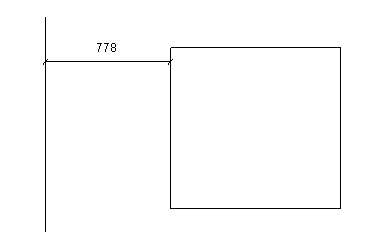
次に、2つのCurveElemオブジェクト間にLinearDimensionが作成されます。
OdBmDatabasePtr pDb = app->readFile(L"Family1.rfa");

ODBM_TRANSACTION_BEGIN(t, pDb)
  t.start();
    OdBmPlanePtr pPlane = OdBmPlane::createObject();
    pPlane->set(OdGePoint3d::kOrigin, OdGeVector3d::kXAxis, OdGeVector3d::kYAxis);
    OdBmSketchPlanePtr pSketchPlane = OdBmSketchPlane::createObject();
    OdBmObjectId sketchPlaneId = pDb->addElement(pSketchPlane);
    pSketchPlane->setGeomPlane(pPlane);

    OdBmObjectId arrRefs[2];
    {
      OdBmCurveElemPtr pCurveElem = OdBmCurveElem::createObject();
      arrRefs[0] = pDb->addElement(pCurveElem);

      OdGePoint3d start = OdGePoint3d(5, 5, 0);
      OdGePoint3d end = OdGePoint3d(5, 10, 0);

      pCurveElem->setSketchPlane(sketchPlaneId);
      pCurveElem->createLine(start, end);
    }

    {
      OdBmCurveElemPtr pCurveElem = OdBmCurveElem::createObject();
      arrRefs[1] = pDb->addElement(pCurveElem);

      OdGePoint3d start = OdGePoint3d(10, 5, 0);
      OdGePoint3d end = OdGePoint3d(10, 10, 0);

      pCurveElem->setSketchPlane(sketchPlaneId);
      pCurveElem->createLine(start, end);
    }

    OdBmGLinePtr pGLine = OdBmGLine::createObject();
    pGLine->set(OdGePoint3d(5, 5, 0), OdGePoint3d(10, 5, 0));

    OdBmGeomRefPtrArray arrGeomRefs;
    for (OdUInt8 iIndex = 0; iIndex < 2; iIndex++)
    {
      OdBmGeomRefPtr pGeomRef = OdBmGeomRef::createObject();
      pGeomRef->set(arrRefs[iIndex]);
      arrGeomRefs.append(pGeomRef);
    }

    OdBmDBViewPtr pDBView = pDb->getObjectId(OdDbHandle(23)).safeOpenObject();
    OdBmLinearDimStringPtr pLinearDimString = OdBmLinearDimString::createObject();
    pDb->addElement(pLinearDimString);
    TEST_ASSERT(pLinearDimString->set(pDBView, pGLine, arrGeomRefs) == eOk);
  t.commit();
ODBM_TRANSACTION_END()