はじめに
この記事では、BmIfcExportExアプリケーションとTB_IfcExportライブラリを使用して、BimRvからIFCへエクスポートする方法について説明します。
BimRv要素のパラメータをIfcPropertySetsの形式でエクスポートでき、IfcCommonPropertiesとIfcQuantitiesを取得、計算、作成できます。また、モデル全体ではなく要素のセットをエクスポートし、ビューでの可視性によってそれらの要素をフィルタリングすることもできます。以下の例は、BmIfcExportExコードを変更してTB_IfcExportでエクスポートプロセスを設定する方法を示しています。
可視要素のみをエクスポート
ドキュメントには、エクスポートしたくない要素を含むビューやプランが含まれている場合があります。たとえば、次のファイルには不要な要素があります。
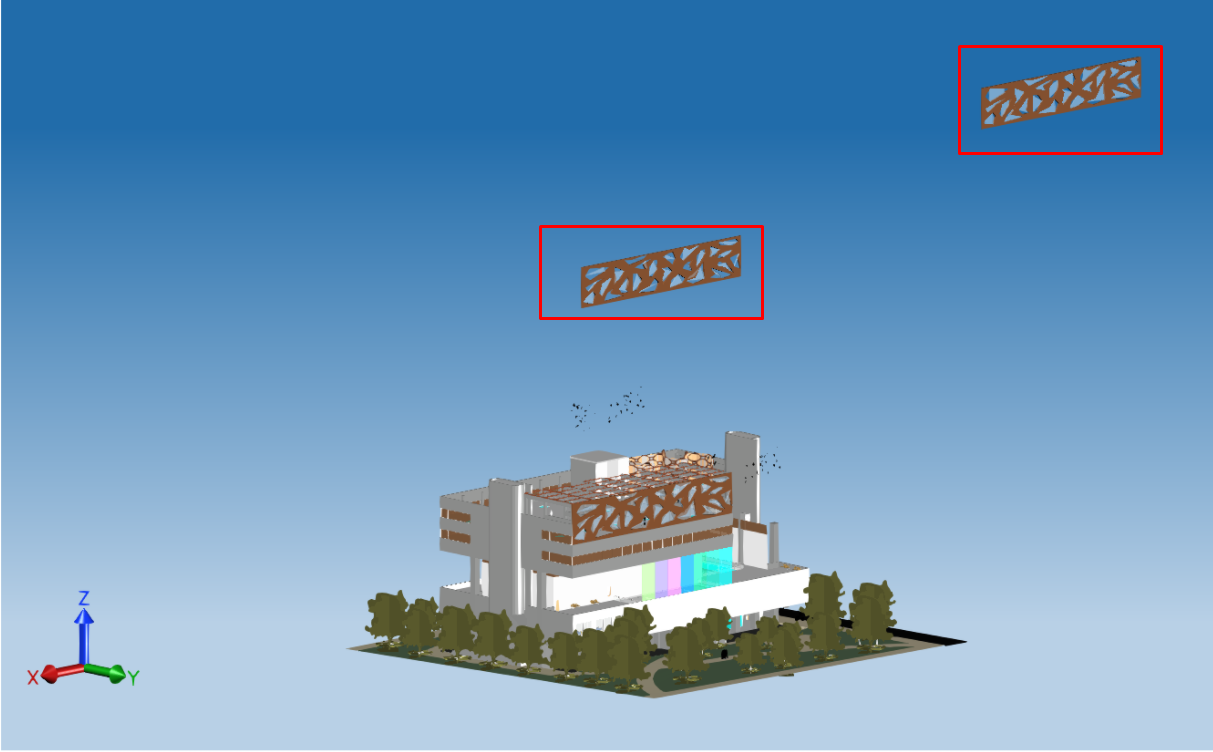
この場合、BmIfcExportExコードを修正して、不要な要素をフィルタリングし、ビューに表示されている3D要素のみをエクスポートできます。
まず、必要なヘッダーを追加します。
#include "Database/Managers/BmViewTable.h"
#include "Database/Entities/BmDBView.h"
#include "ExBimCommandContext.h"
#include "ExStringIO.h"
#include "Ed/EdCommandStack.h"
次に、BmDBView要素を見つける関数を実装するか、必要に応じてBmDBView3dCreateコマンドを使用して作成します。
OdBmObjectId get3DViewId(OdBmDatabase* pDb)
{
  const OdChar* strDefaultViewName = L"{3D}";

  OdBmViewTablePtr pViewTable = pDb->getAppInfo(OdBm::ManagerType::ViewTable);
  OdBmObjectId idView = pViewTable->findViewIdByName("{3D}");

  // in case when DB doesn't contain {3D} view creating own view to collect visible elements
  if (idView.isNull())
  {
    ::odrxDynamicLinker()->loadModule(OdBmCommands);

    OdSmartPtr<ExStringIO> pStringIO = ExStringIO::create(L"{3D} n");
    OdBmCommandContextPtr pDbCmdCtx = ExBimCommandContext::createObject(pStringIO, pDb);
    ::odedRegCmds()->executeCommand(L"BmDBView3dCreate", pDbCmdCtx);
    idView = pViewTable->findViewIdByName("{3D}");
  }
  return idView;
}
メイン関数で、上記で実装した関数を呼び出し、VisibleOnlyオプションをオンにし、エクスポートプロパティでFilterViewIdオプションのビューIDを設定します。最後に、エクスポートを開始します。
// Only export elements visible in the chosen view

OdBmObjectId viewId = get3DViewId(pDb);
exporter->properties()->putAt("VisibleOnly", OdRxVariantValue(true));
OdUInt64 filterViewId = (OdUInt64)viewId.getHandle();
exporter->properties()->putAt("FilterViewId", OdRxVariantValue(filterViewId));

// Export BIM file

TB_IFCEXPORT::OdIfcExport::ExportResult expRes = exporter->exportIfc();
if (TB_IFCEXPORT::OdIfcExport::success == expRes)
  odPrintConsoleString(L"\nExport success...\n");
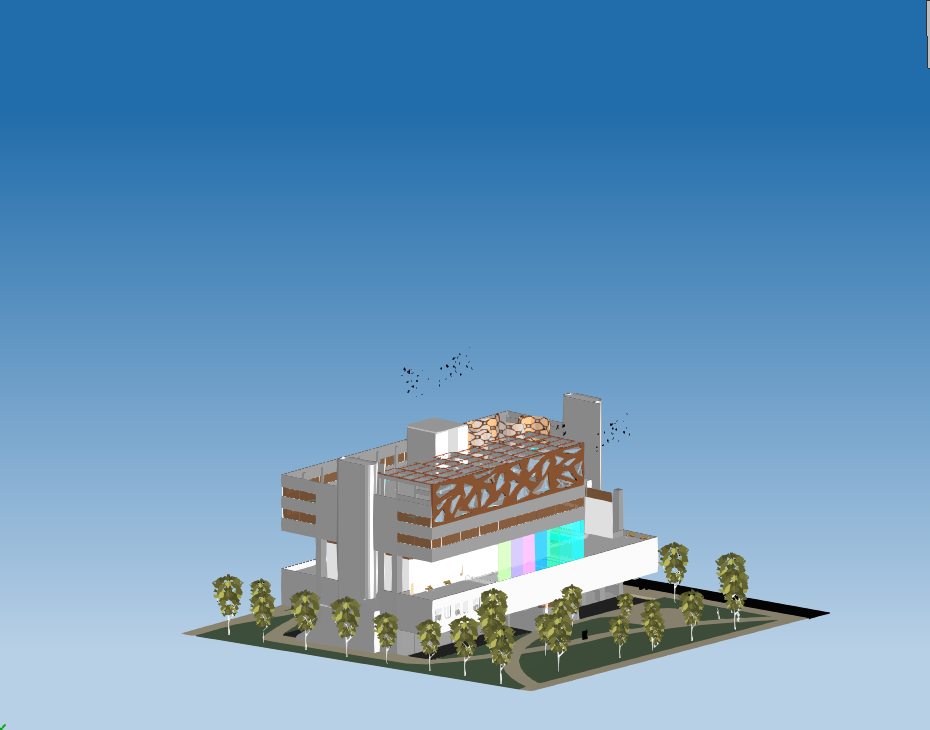
修正されたエクスポート後、不要な要素はフィルタリングされます。
要素のセットをエクスポートする
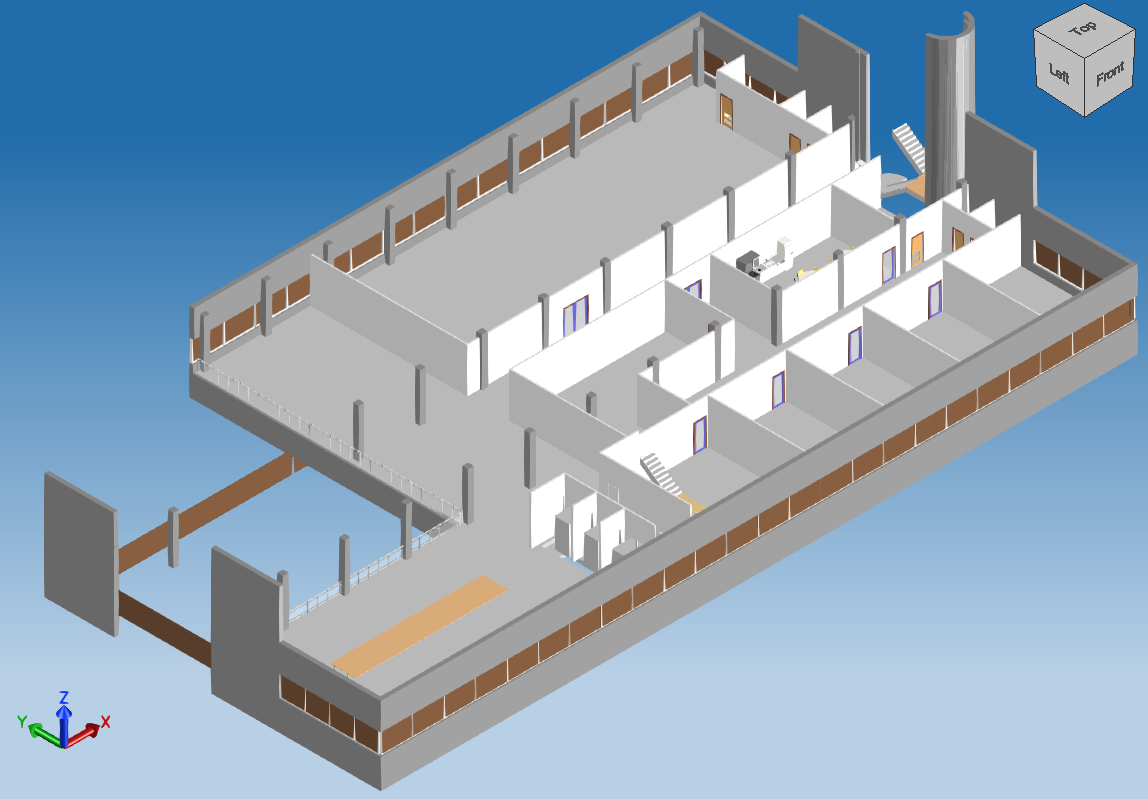
モデル全体ではなく、要素のセットをエクスポートできます。たとえば、1つの要素のみをエクスポートしたり、同じレベルにある要素のセットをエクスポートしたり、壁を除くすべての要素をエクスポートしたりできます。次のコードサンプルは、選択したレベルにある要素のみをエクスポートするようにBmIfcExportExアプリケーションを修正する方法を示しています。
#include "Database/Managers/BmLevelPlanViewTracking.h"
#include "HostObj/Entities/BmRoof.h"
#include "Family/Entities/BmFamilyInstance.h"
#include "StairsRamp/Entities/BmStairsElement.h"
#include "Structural/Entities/BmTrussElement.h"
#include "MEP/Entities/BmRbsCurve.h"
次に、関連するレベルIDで要素をフィルタリングするためのフィルタールールを持つクラスを実装します。
struct c_evalElem : std::unary_function<OdBmElementPtr, bool> {
  c_evalElem(const OdBmObjectId& assocLevelId) : oAssocLevelId(assocLevelId) {}
  virtual bool operator()(const OdBmElementPtr& pElem) const {
    OdBmObjectId levelId = pElem->getAssocLevelId();
    if (!levelId.isNull())
      return (levelId == oAssocLevelId);

    OdBmElementPtr pElemToCheck = pElem;
    OdArray<OdBm::BuiltInParameter::Enum> priortizedParameterList;
    if (pElem->isA() == OdBmFamilyInstance::desc())
    {
      const OdBmFamilyInstance* pFam = static_cast(pElem.get());
      // If this is a nested family, check the top-level instance for the level parameter information.
      OdBmObjectId elemToCheckId = pFam->getSuperInstanceId();
      if (!elemToCheckId.isNull())
        pElemToCheck = elemToCheckId.safeOpenObject();

      priortizedParameterList.append(OdBm::BuiltInParameter::FAMILY_BASE_LEVEL_PARAM);
      priortizedParameterList.append(OdBm::BuiltInParameter::INSTANCE_SCHEDULE_ONLY_LEVEL_PARAM);
      priortizedParameterList.append(OdBm::BuiltInParameter::INSTANCE_REFERENCE_LEVEL_PARAM);
    }
    else if (pElem->isA() == OdBmRoof::desc())
      priortizedParameterList.append(OdBm::BuiltInParameter::ROOF_CONSTRAINT_LEVEL_PARAM);
    else if (pElem->getHeaderCategoryId() == OdBm::BuiltInCategory::OST_Stairs)
      priortizedParameterList.append(OdBm::BuiltInParameter::STAIRS_BASE_LEVEL_PARAM);
    else if (pElem->isA() == OdBmTrussElement::desc())
      priortizedParameterList.append(OdBm::BuiltInParameter::TRUSS_ELEMENT_REFERENCE_LEVEL_PARAM);

    for (OdBm::BuiltInParameter::Enum levelParameterVal : priortizedParameterList)
    {
      if (eOk == pElemToCheck->getParam(levelParameterVal, levelId))
      {
        if (!levelId.isNull())
          return (levelId == oAssocLevelId);
      }
    }

    if (pElemToCheck->isKindOf(OdBmRbsCurve::desc()))
    {
      const OdBmRbsCurve* pRbsCurve = static_cast(pElemToCheck.get());
      OdBmObjectId levelId = pRbsCurve->getStartLevelId();
      if (!levelId.isNull())
        return levelId == oAssocLevelId;
    }

    return false;
  }
protected:
  OdBmObjectId oAssocLevelId;
};
次に、データベースから関連するレベルIDを持つすべての要素を取得する関数を実装します。
OdUInt64Array getLevelElementIds(OdBmDatabase* pDb, unsigned int nLevelIndex)
{
  OdUInt64Array elemIds;
  OdBmMap<OdBmObjectId, OdBmSet<OdBmObjectId> > mapLevelIds;
  const OdBmLevelPlanViewTrackingPtr pLevelTable = pDb->getAppInfo(OdBm::ManagerType::LevelPlanViewTracking);
  pLevelTable->getLevelIdToPlanViewIds(mapLevelIds);

  unsigned int nIndex = 0;
  if (mapLevelIds.size() < nLevelIndex)
    nLevelIndex = mapLevelIds.size() - 1;

  for (const auto& pair : mapLevelIds)
  {
    if (nIndex != nLevelIndex)
    {
      nIndex++;
      continue;
    }
    auto pElementsIt = pDb->newElemTableIterator()->filter(c_evalElem(pair.first));
    for (auto pElem : pElementsIt)
      elemIds.append((OdUInt64)pElem->objectId().getHandle());

    break;
  }
  return elemIds;
}
最後に、メイン関数で、実装された関数をレベルインデックスとともに呼び出し、受け取ったIDをElementsToExportオプションに設定し、エクスポートを開始します。
// Chosen elements to export

OdUInt64Array ids = getLevelElementIds(pDb, 3);
exporter->properties()->putAt(L"ElementsToExport", OdRxVariantValue(ids));

// Export BIM file

TB_IFCEXPORT::OdIfcExport::ExportResult expRes = exporter->exportIfc();
if (TB_IFCEXPORT::OdIfcExport::success == expRes)
  odPrintConsoleString(L"\nExport success...\n");
エクスポート後、IFCモデルには1つのレベルの要素のみが含まれます。
IfcPropertySetsとIfcQuantities
IFCへのエクスポートには、次の3つのオプションが使用されます。
- BimRvPropSets &mdash BimRv要素パラメータをIfcPropertiesとしてエクスポートします。
- IfcCommonPropSets &mdash IfcCommonPropertySetsを計算してエクスポートします。
- BaseQuantities &mdash IfcQuantitiesを計算してエクスポートします。
次の例は、すべてのエクスポートプロパティをオンにするようにBmIfcExportExアプリケーションを修正する方法を示しています。
// Property sets and quantities export

exporter->properties()->putAt(L"IfcCommonPropSets", OdRxVariantValue(true));
exporter->properties()->putAt(L"BimRvPropSets", OdRxVariantValue(true));
exporter->properties()->putAt(L"BaseQuantities", OdRxVariantValue(true));

// Export BIM file

TB_IFCEXPORT::OdIfcExport::ExportResult expRes = exporter->exportIfc();
if (TB_IFCEXPORT::OdIfcExport::success == expRes)
  odPrintConsoleString(L"\nExport success...\n");
エクスポート後、OpenIfcViewerアプリケーションの右側のパネルでプロパティを確認できます。