[ブログに戻る](/ja/blog) # BimNv SDK: セクションの操作
Vadim Asandiy 2月 12, 2021 [\#BimNv](/ja/blog/tag/bimnv) [\#getting started](/ja/blog/tag/getting-started)
この記事では、クリッピング平面によって分割されたビューのセクションを操作する方法について説明します。
BimNv SDK は、現在のビューおよび保存されたビューのセクションオブジェクトへのアクセスを提供します。これらのメソッドを使用して取得できます。
```
OdNwClipPlaneSetPtr OdNwDatabase::getCurrrentViewClippingPlanes() const;
OdNwClipPlaneSetPtr OdNwSavedViewpoint::getClippingPlanes() const;
```
まず、選択したビューのセクションモードを有効にします。これは、次のメソッドを使用して確認できます。
```
bool OdNwClipPlaneSet::isEnabled() const;
```
OdNwClipPlaneSet クラスのオブジェクトは、6つのクリッピング平面のセットを持ち、平面モードまたはボックスモードのいずれかになります。
次のメソッドを使用して、セットからインデックスでクリッピング平面を取得できます。
```
OdResult OdNwClipPlaneSet::getClipPlaneByIndex(OdNwClipPlane& clipPlane, OdUInt32 idx);
```
OdNwClipPlane クラスの各オブジェクトから、次の情報を取得できます。
- 平面アライメントのタイプ:
- ビューへのアライメント
- 背面へのアライメント
- 前面へのアライメント
- 左へのアライメント
- 右へのアライメント
- 上へのアライメント
- 下へのアライメント
- サーフェスへのアライメント
- 線へのアライメント
- カスタムアライメント
- 平面の状態:
- クリッピングが有効
- デフォルトのクリッピング動作を持つ (平面またはボックスのセクションモードに依存)
- ジオメトリデータ (位置、法線) を持つ OdGePlane クラスのオブジェクト
次のメソッドを使用して、クリッピング平面から OdGePlane クラスのオブジェクトを取得できます。
```
OdGePlane OdNwClipPlane::getPlane() const
```
#### 平面モード
平面モードでは、断面に参加する平面は有効な状態になり、対応するOdGePlaneオブジェクトから平面のすべてのジオメトリデータ(位置、法線、または軸)を取得できます。デフォルト状態の平面は断面に参加しません。
次のサンプルコードは、平面モードでの断面の操作を示しています。
```
OdNwClipPlane plane;
//get the plane with index 3
if (eOk == pClipPlaneSet->getClipPlaneByIndex(plane, 3))
{
//get the plane state (DEFAULT - switched off or ENABLED - switched on)
NwClipPlaneState::Enum state = plane.getState();
if (state == NwClipPlaneState::ENABLED)
{
//get the section plane parameters
OdGePlane gePlane = plane.getPlane();
OdGePoint3d origin;
OdGeVector3d axis1, axis2;
gePlane.getCoordSystem(origin, axis1, axis2);
}
}
```
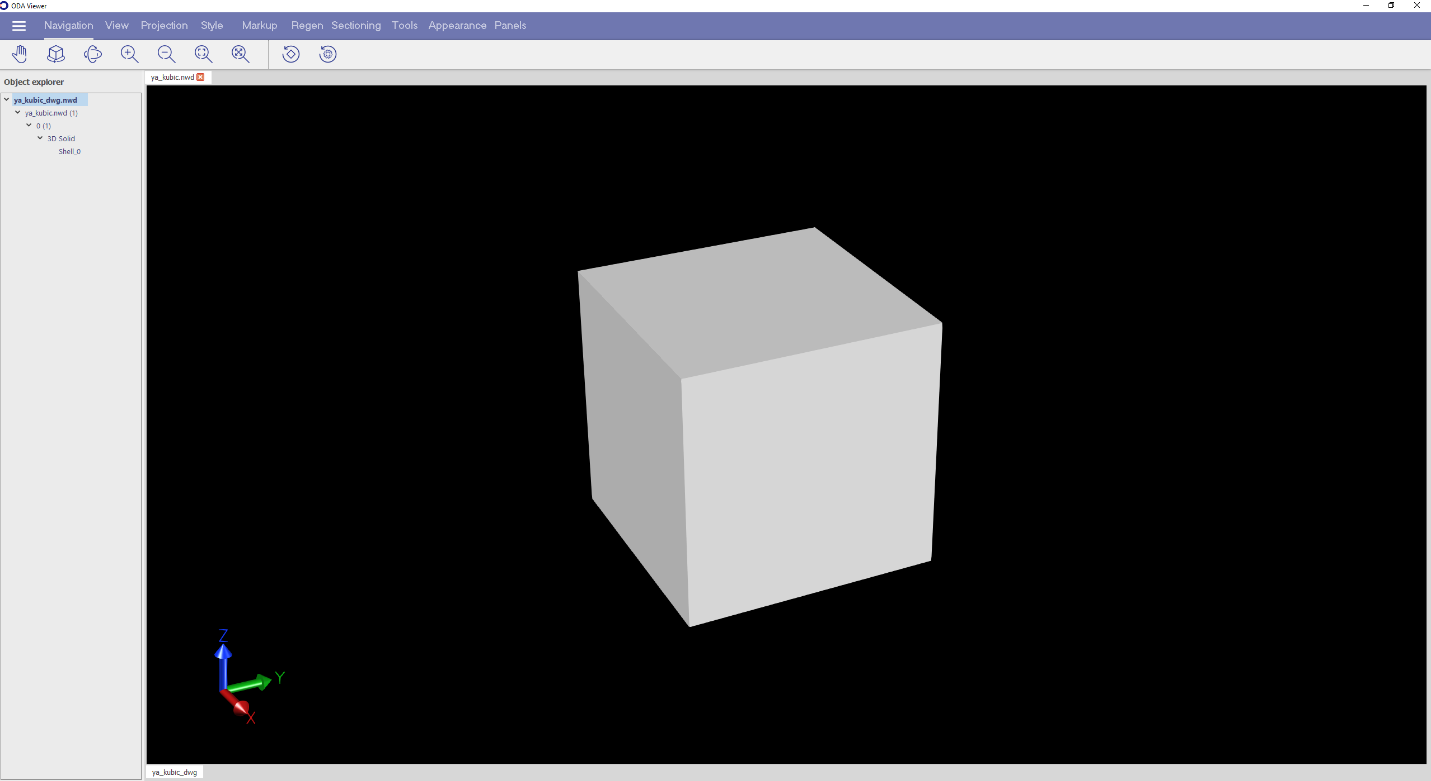
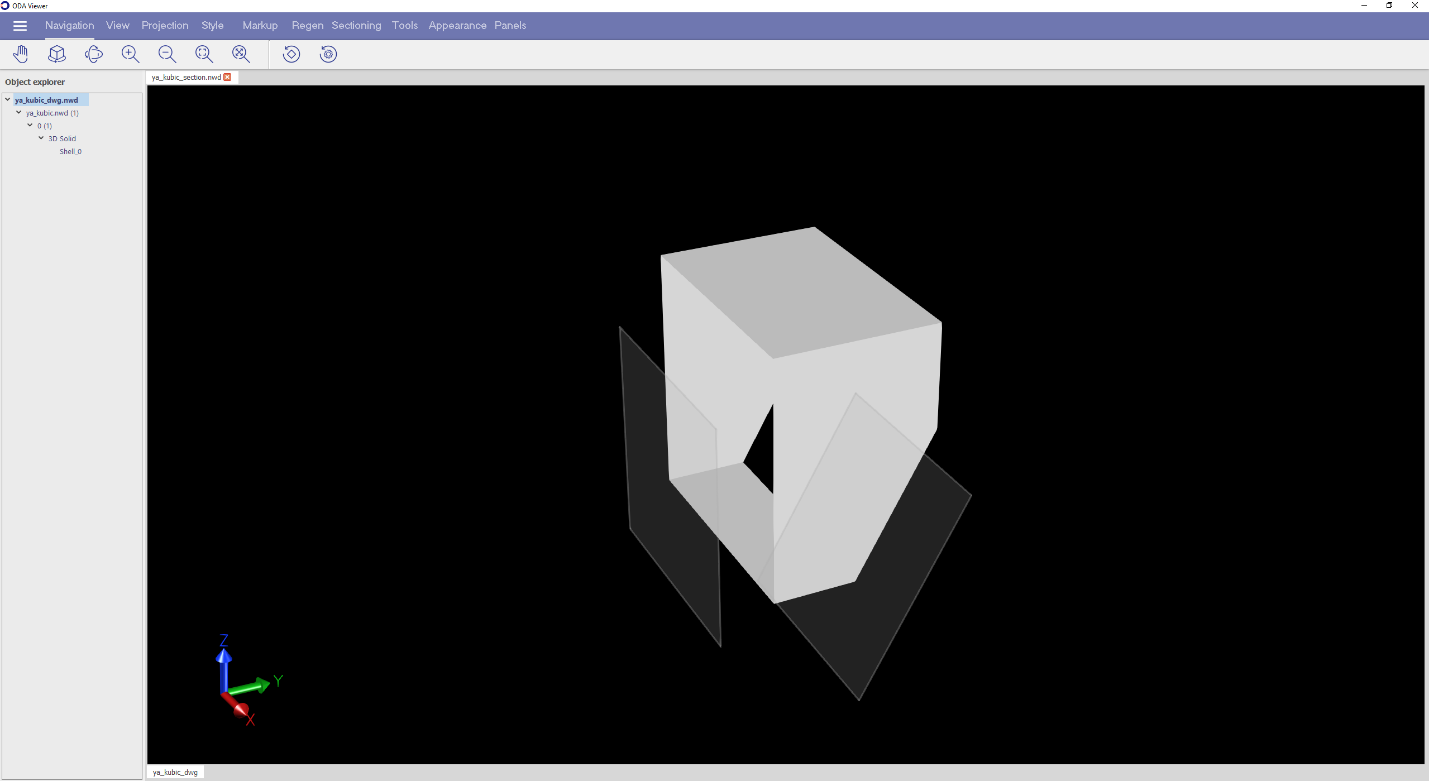
次の2つの画像は、断面のないモデルと、平面(有効)モードで2つのクリッピング平面を持つ同じモデルの断面を示しています。
####
####
#### ボックスモード
ボックスモードでは、すべての平面がデフォルト状態であるため、OdGePlaneオブジェクトで取得できるジオメトリデータは関連性がありません。6つのすべての平面について、次のメソッドを使用して取得できる変換行列を使用して、位置と法線の値を計算する必要があります。
```
OdGeMatrix3d OdNwClipPlaneSet::getTransform() const
```
次のサンプルコードは、ボックスモードでの断面の操作を示しています。
```
if (pClipPlaneSet->getMode() == NwClipPlaneSetMode::CL_BOX)
{
//get the transformation matrix of sections
OdGeMatrix3d matrix = pClipPlaneSet->getTransform();
auto xAxis = matrix.getCsXAxis();
auto yAxis = matrix.getCsYAxis();
auto zAxis = matrix.getCsZAxis();
OdGePlane planeTop = OdGePlane(OdGePoint3d(0, 0, 0.5).transformBy(matrix), yAxis, xAxis);
OdGePlane planeBottom = OdGePlane(OdGePoint3d(0, 0, -0.5).transformBy(matrix), xAxis, yAxis);
OdGePlane planeFront = OdGePlane(OdGePoint3d(0, -0.5, 0).transformBy(matrix), zAxis, xAxis);
OdGePlane planeBack = OdGePlane(OdGePoint3d(0, 0.5, 0).transformBy(matrix), xAxis, zAxis);
OdGePlane planeLeft = OdGePlane(OdGePoint3d(-0.5, 0, 0).transformBy(matrix), yAxis, zAxis);
OdGePlane planeRight = OdGePlane(OdGePoint3d(0.5, 0, 0).transformBy(matrix), zAxis, yAxis);
//if the coordinate system is left hand, it is required to reverse the normals of planes
if (xAxis.crossProduct(yAxis).dotProduct(zAxis) < 0)
{
planeTop.reverseNormal();
planeBottom.reverseNormal();
planeFront.reverseNormal();
planeBack.reverseNormal();
planeLeft.reverseNormal();
planeRight.reverseNormal();
}
}
```
上記のコードは、断面のボックスモードで、getPlanesForActiveMode() メソッドで実行されます。
```
OdResult OdNwClipPlaneSet::getPlanesForActiveMode(OdArray& aPlanes) const
```
getPlanesForActiveMode() メソッドは、ジオメトリデータを持つ平面のセットを取得するのに役立ちます。平面モードでは、このメソッドは有効な状態のクリッピング用のOdGePlaneオブジェクトを返し、デフォルト状態のクリッピング用にはデフォルトのOdGePlaneオブジェクトを返します。
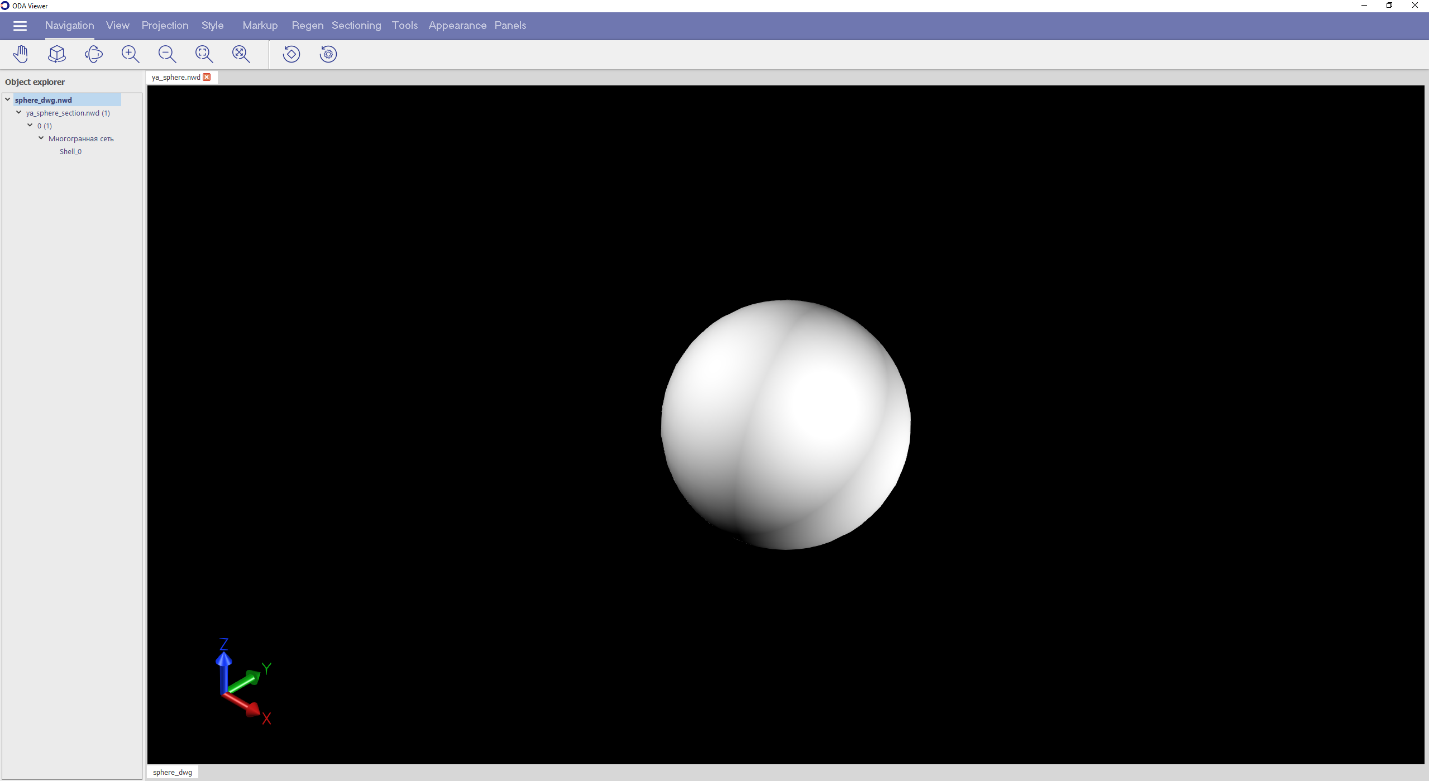
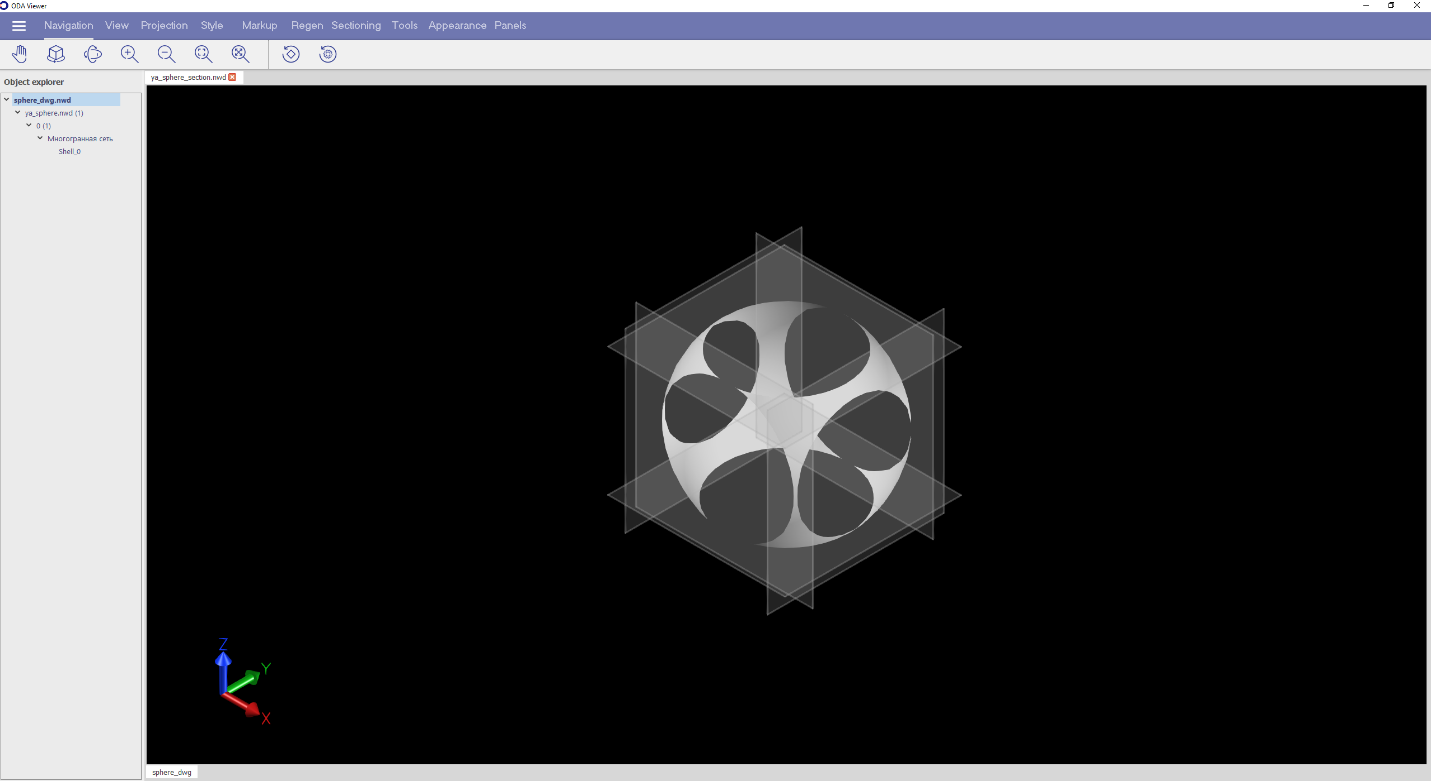
次の2つの画像では、断面のないモデルと、ボックス(デフォルト)モードで6つのクリッピング平面を持つ同じモデルを見ることができます。
## 今すぐ始める
**ODAソフトウェアを60日間無料でお試しください。
リスクなし、クレジットカード不要。**
[無料で試す](https://www.opendesign.com/ja/free-trial)