[ブログに戻る](/ja/blog) # 壁に取り付けられた開口部を見つける
Alexey Abramovsky 4月 27, 2017 [\#Architecture](/ja/blog/tag/architecture) [\#Example](/ja/blog/tag/example)
Teigha Architectureでは、オブジェクトを他のオブジェクトにアタッチできます。このような接続は、他のオブジェクトと同様に.dwgファイルに保存される特別なアンカーオブジェクトによって処理されます。
アンカーは基底クラスAECDbAnchorによって表現されます。オブジェクト間の接続の意味は、例えば壁に挿入された窓やオブジェクトにアタッチされたスケジュールテーブルのように、異なる場合があります。各接続タイプは、接続セマンティクスを実装するAECDbAnchorのサブクラスによって処理されます。
これらの接続は「リレーション」と呼ばれます。図面でこれらのリレーションをどのように確認できるでしょうか?例えば、窓のある壁を見てみましょう。
[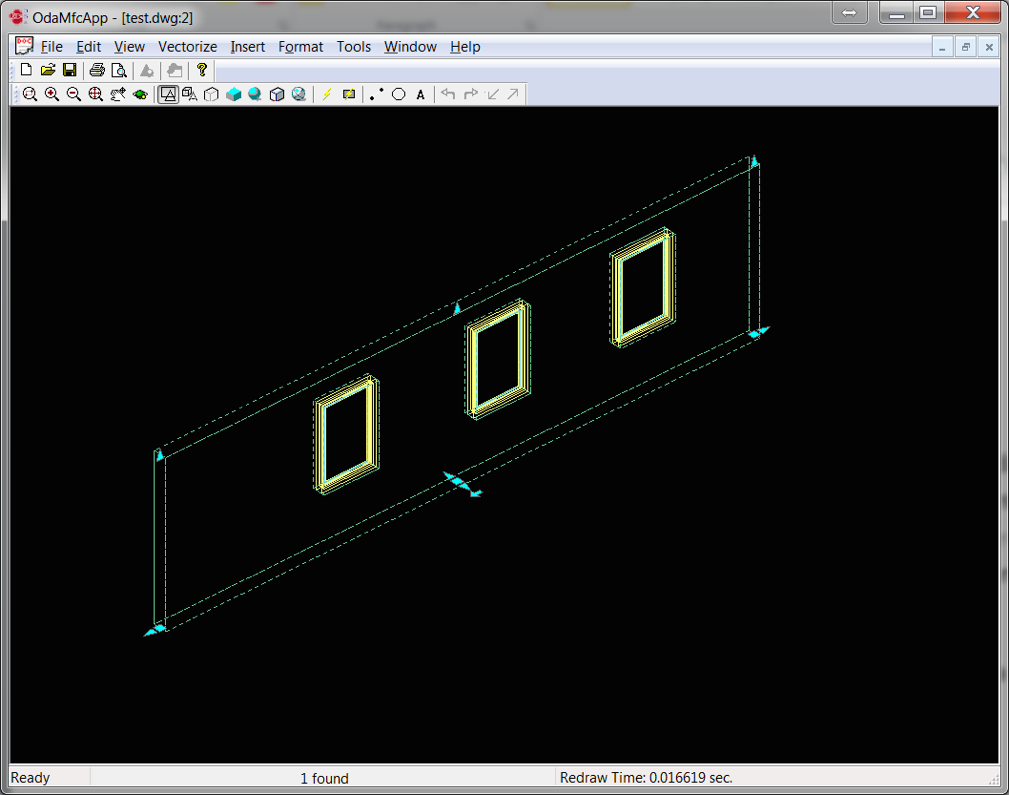](/files/images/blog/2017-04-27-pic1.png)
窓が挿入されている場所では、壁が自動的にカットされます。これは、壁がそれにアタッチされた開口部を認識していることを意味します。壁を移動すると、開口部も自動的に移動します。
[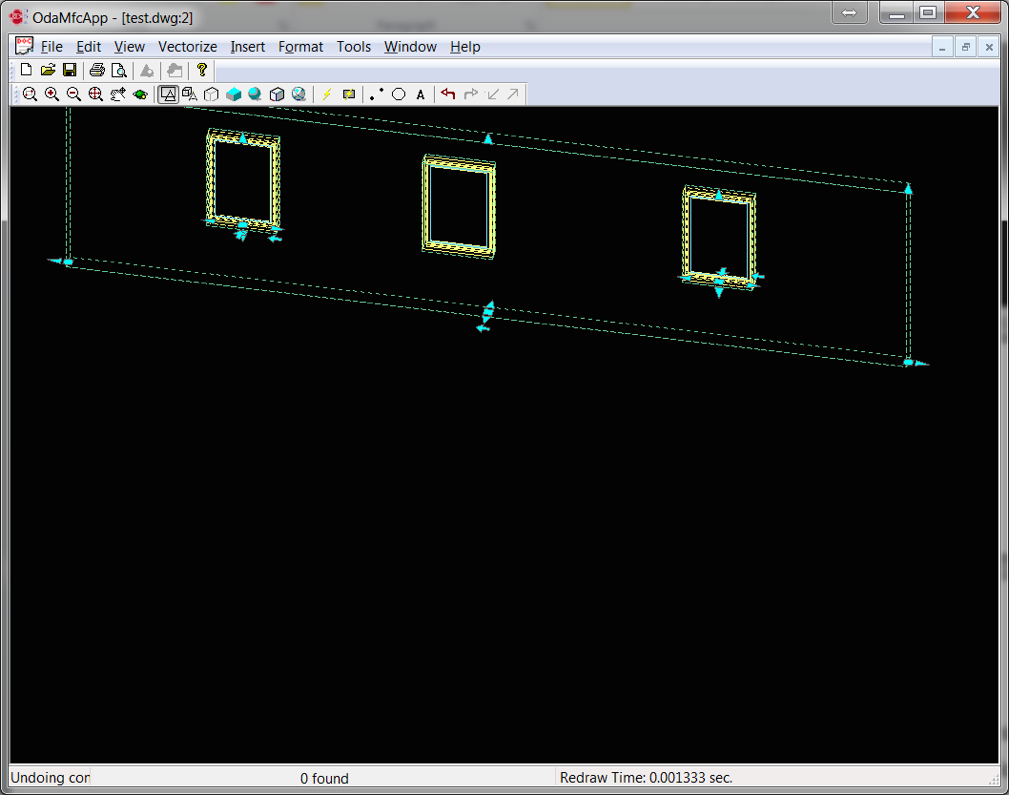](/files/images/blog/2017-04-27-pic2.png)
これは、窓が壁に挿入されていることを認識していることも意味します。「何かが壁にアタッチされている」というリレーションは、AECDbAnchorEntToWallクラスとそのサブクラスによって処理されます。
### 仕組み
Teigha Architectureには、リレーショングラフと呼ばれる特別なグローバルオブジェクトがあります。これはアンカーオブジェクトを使用して、オブジェクト間の関係を決定します。壁が変更されると、リレーショングラフは壁に関連するオブジェクトのリストを調べ、各オブジェクトの再計算を呼び出します。オブジェクトはアンカーを使用して新しい位置を再計算します。
### 例
特定の壁にアタッチされているオブジェクトを見つける方法。
```
OdDbObjectId idWall; // will be looking for openings attached to wall with this id
OdDbDatabasePtr pDb; // loaded database
// we open and iterate all model space objects (objects on the drawing)
OdDbObjectId idModelSpace = pDb->getModelSpaceId();
OdDbBlockTableRecordPtr pModelSpace = idModelSpace.safeOpenObject();
OdDbObjectIteratorPtr pIt = pModelSpace->newIterator();
OdDbObjectId idWall;
for (pIt->start(); !pIt->done(); pIt->step())
{
OdDbObjectId id = pIt->objectId();
// we open each object and cast it to AECDbGeo, because this is the class which stores the anchor. All aec entities are subclasses of this class
AECDbGeoPtr ptrGeo = AECDbGeo::cast( id.safeOpenObject() );
if( ptrGeo.isNull() )
continue;
// we open the anchor object and check if this anchor type is relation “attached to smth”
AECDbAnchorToRefPtr pAnchor =
AECDbAnchorToRef::cast( ptrGeo->GetAnchor().openObject( OdDb::kForRead ) );
if ( pAnchor.isNull() )
continue;
// if this object is attached to the wall, then we have found the object
if(idWall == pAnchor->GetReference())
{
//anchored object found
}
}
```
アンカーを「壁にアタッチされた何か」というタイプで確認することもできます。
```
if ( !pAnchor->isKindOf( AECDbAnchorEntToWall::desc() ) )
continue;
```
## 今すぐ始める
**ODAソフトウェアを60日間無料でお試しください。
リスクなし、クレジットカード不要。**
[無料で試す](https://www.opendesign.com/ja/free-trial)