[返回博客](/cn/blog) # 查找附着在墙上的开口
Alexey Abramovsky 四月 27, 2017 [\#Architecture](/cn/blog/tag/architecture) [\#Example](/cn/blog/tag/example)
在 Teigha Architecture 中,对象可以附着到其他对象。此类连接由特殊的锚点对象处理,这些锚点对象像任何其他对象一样存储在 .dwg 文件中。
锚点由基类 AECDbAnchor 表示。对象之间的连接含义可能不同,例如,插入墙壁的窗户或附着到对象的进度表。每种连接类型都由 AECDbAnchor 的子类处理,该子类实现连接语义。
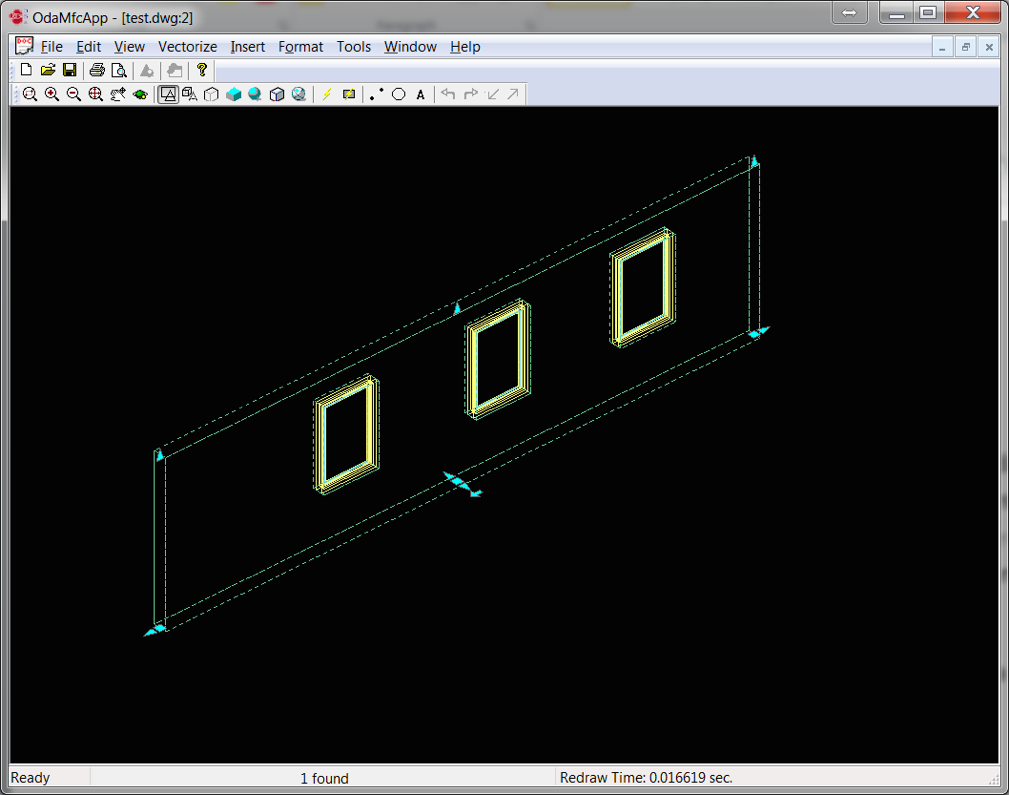
这些连接称为“关系”。我们如何在绘图中查看这些关系?例如,让我们看看一堵有窗户的墙:
[](/files/images/blog/2017-04-27-pic1.png)
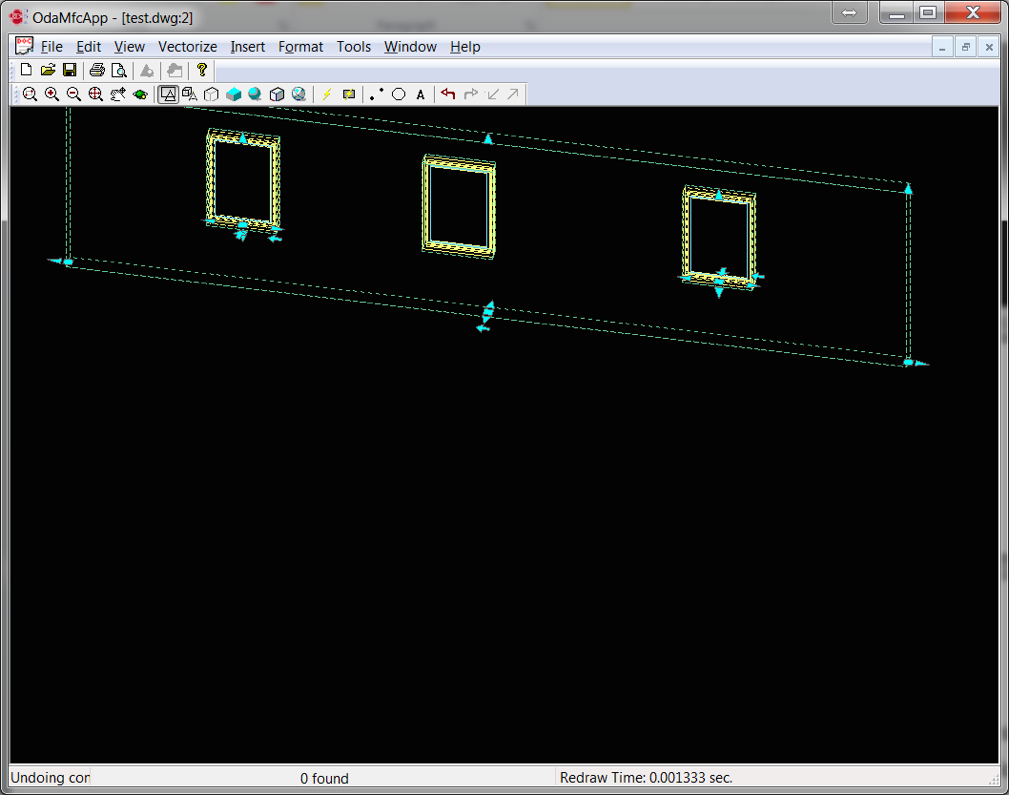
墙壁会在插入窗户的地方自动切割。这意味着墙壁知道附着在其上的开口。如果我们移动墙壁,开口也会自动移动:
[](/files/images/blog/2017-04-27-pic2.png)
这也意味着窗户知道它们是插入墙壁的。“某物附着在墙上”的关系由 AECDbAnchorEntToWall 类及其子类处理。
### 工作原理
在 Teigha Architecture 中,有一个特殊的全局对象,称为关系图。它使用锚点对象来确定对象之间的关系。当墙壁被修改时,关系图会遍历与墙壁相关的对象列表,并调用每个对象的重新计算。对象使用它们的锚点来重新计算它们的新位置。
### 示例
如何查找附着在特定墙壁上的对象?
```
OdDbObjectId idWall; // will be looking for openings attached to wall with this id
OdDbDatabasePtr pDb; // loaded database
// we open and iterate all model space objects (objects on the drawing)
OdDbObjectId idModelSpace = pDb->getModelSpaceId();
OdDbBlockTableRecordPtr pModelSpace = idModelSpace.safeOpenObject();
OdDbObjectIteratorPtr pIt = pModelSpace->newIterator();
OdDbObjectId idWall;
for (pIt->start(); !pIt->done(); pIt->step())
{
OdDbObjectId id = pIt->objectId();
// we open each object and cast it to AECDbGeo, because this is the class which stores the anchor. All aec entities are subclasses of this class
AECDbGeoPtr ptrGeo = AECDbGeo::cast( id.safeOpenObject() );
if( ptrGeo.isNull() )
continue;
// we open the anchor object and check if this anchor type is relation “attached to smth”
AECDbAnchorToRefPtr pAnchor =
AECDbAnchorToRef::cast( ptrGeo->GetAnchor().openObject( OdDb::kForRead ) );
if ( pAnchor.isNull() )
continue;
// if this object is attached to the wall, then we have found the object
if(idWall == pAnchor->GetReference())
{
//anchored object found
}
}
```
我们还可以像这样检查锚点是否属于“附着在墙上”的类型:
```
if ( !pAnchor->isKindOf( AECDbAnchorEntToWall::desc() ) )
continue;
```
## 今天就开始行动
**免费试用 ODA 软件 60 天。
无风险,无需信用卡。**
[免费试用](https://www.opendesign.com/cn/free-trial)