[Back to Blog](/blog) # Create a Lofted 3D Solid
Yurii Pylnyk July 16, 2020 [\#modeler](/blog/tag/modeler) [\#getting started](/blog/tag/getting-started)
A 3D solid is an object that can be created as a basic primitive, or as an extruded, swept, revolved, or lofted profile. This article describes the different ways you can loft a profile to create a 3D solid.
Lofting is used to create a 3D solid object from a set curves — cross section curves. There are different parameters that influence the solid’s shape, specifically the path curve and guide curves.
The class OdDb3dSolid has a method for creating a lofted solid:
```
virtual OdResult createLoftedSolid (OdDbEntityPtrArray& crossSectionCurves,
OdDbEntityPtrArray& guideCurves, OdDbEntity* pPathCurve, OdDbLoftOptions& loftOptions );
```
The createLoftedSolid method creates a lofted solid from input profiles using the lofted options. The cross sections, path curves, and guide curves can be points, curves, edges, or a set of connected edges. The parameters are:
- crossSectionCurves — Input array of cross section profiles that are used for lofted solid creation.
- guideCurves — Input array of guide curves that influence a solid’s shape (optional).
- pPathCurve — Input curve that influences a solid’s shape (optional).
- loftOptions — Input loft options.
The method returns eOk if the 3D solid is created successfully or an appropriate error code in the other case.
Here is a code example:
```
…
OdDbLoftOptions loftOptions; // loft options
loftOptions.setNormal(OdDbLoftOptions::kNoNormal);
OdDb3dSolidPtr pSolid = OdDb3dSolid::createObject(); // resulting 3d solid
OdDbEntityPtr pPathCurve = pDb->getObject… // input object
OdDbEntityPtrArray crossSectionCurves = pDb->getObjects() // input objects
OdDbEntityPtrArray guideCurvesArray = pDb->getObjects() // input objects
OdResult res = pSolid->createLoftedSolid(crossSectionCurves, guideCurvesArray, NULL, loftOptions); // creates solid from only cross section curves, or from cross section curves with guide curves(if these curves are presented).
guideCurvesArray.clear();
res = pSolid->createLoftedSolid(crossSectionCurves, guideCurvesArray, pPathCurve, loftOptions); // creates solid from only cross section curves, or from cross section curves with path curve(if it is presented ).
…
```
#####
##### Examples
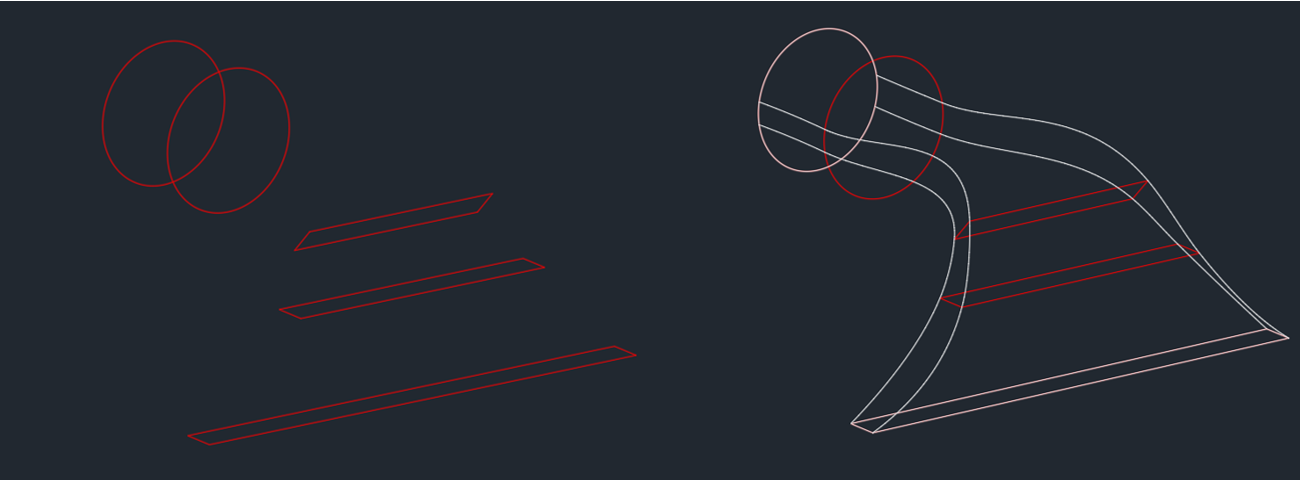
A lofted solid created from cross section curves only:
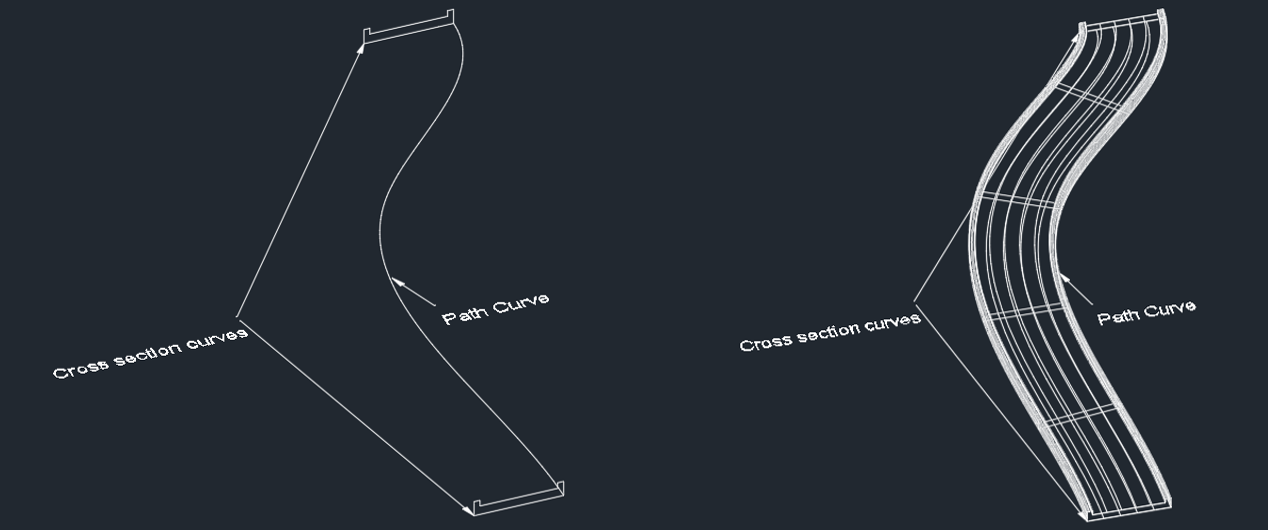
A lofted solid created from cross section curves and a path curve:
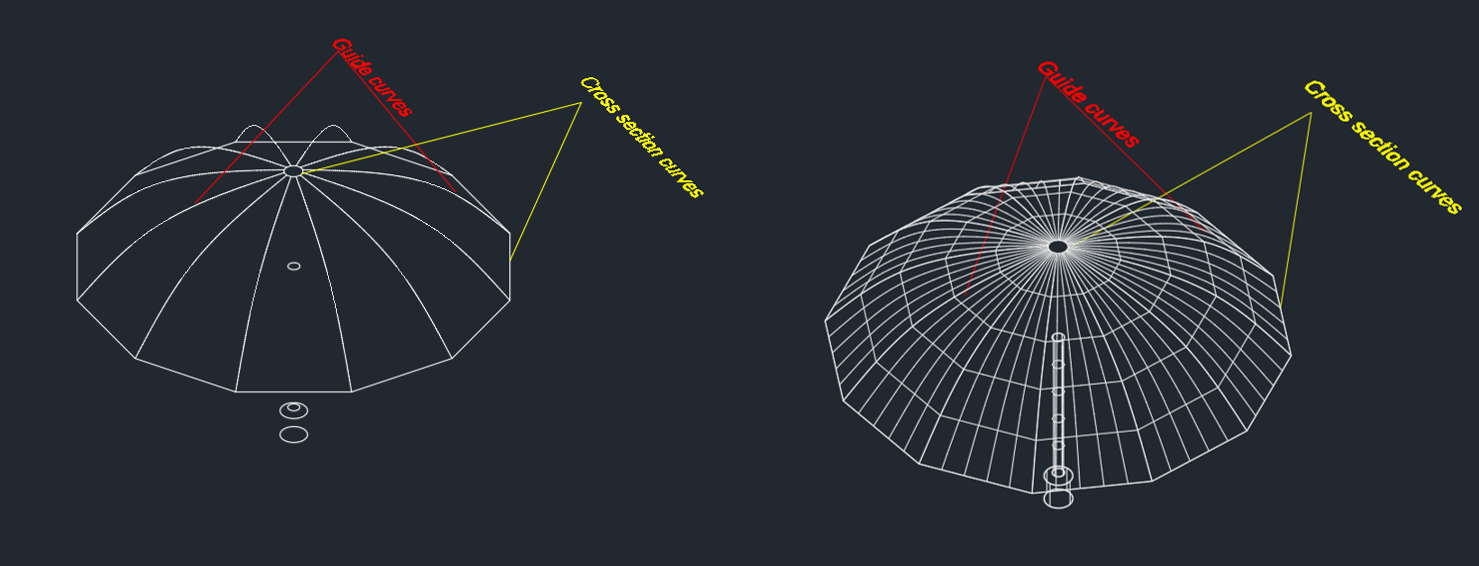
A lofted solid created from cross section curves and guide curves:
To experiment with creating a lofted solid, use the createloftedsolid command in ExCustObjs. You can create a lofted solid with different sets of parameters:
- Only cross section curves
- Cross section curves and a path curve
- Cross section curves and guide curves
The functionality is available only in SpaModeler (based on the Spatial library).
## Get started today
**Try ODA software free for 60 days.
No risk, no credit card required.**
[Try for Free](https://www.opendesign.com/free-trial)