[Back to Blog](/blog) # Working with Topography Surfaces in BimRv SDK (Part 3 of 3)
Evgeniy Tikhonov April 02, 2020 [\#rvt](/blog/tag/rvt) [\#rfa](/blog/tag/rfa)
If surface points and facets are stored in a JSON format file, the command BmSiteSurfaceCreate can be used to load and set data for the specified surface.
This is the last article in a series about working with topography surfaces. For the previous article, click [here](https://www.opendesign.com/blog/2019/december/working-topography-surfaces-bimrv-sdk-part-1-3).
#### Example of Loading Data from a JSON Format File
The following example demonstrates how to load points and facets from a JSON format file.
```
#include "Database/BmTransaction.h"
#include "Main/BmSiteSurfaceHelper.h"
#include "Ed/EdCommandStack.h"
#include "Ed/EdCommandContext.h"
#include "ExBimCommandContext.h"
#include "ExStringIO.h"
OdBmDatabasePtr pDb = app->readFile(L"empty_project.rvt");
::odrxDynamicLinker()->loadModule(OdBmDevGuideCommands);
OdString sDataFile = app->findFile("TrianglesData_simple.json");
OdSmartPtr pStringIO = ExStringIO::create(sDataFile);
OdBmCommandContextPtr pDbCmdCtx = ExBimCommandContext::createObject(pStringIO, pDb);
::odedRegCmds()->executeCommand("BmSiteSurfaceCreate", pDbCmdCtx);
pSurf = pDbCmdCtx->funcIO()->result();
OdBmSiteSurfaceHelper helper(pSurf);
//… next, use the helper
```
Listing of TrianglesData\_simple.json:
{"Points":\[{"X":19857.26,"Y":20260.46,"Z":100.30},{"X":20249.13,"Y":19884.37,"Z":101.09},{"X":21330.38,"Y":20345.13,"Z":87.97},{"X":19657.44,"Y":21044.29,"Z":97.83},{"X":19917.07,"Y":21296.77,"Z":98.19},{"X":20257.67,"Y":21004.95,"Z":97.36},{"X":20567.17,"Y":21652.51,"Z":98.47},{"X":21403.70,"Y":21134.81,"Z":90.62}\],"Facets":\[\[5,3,0\],\[5,4,3\],\[0,1,5\],\[5,2,7\],\[2,5,1\],\[7,6,5\],\[5,6,4\]\]}
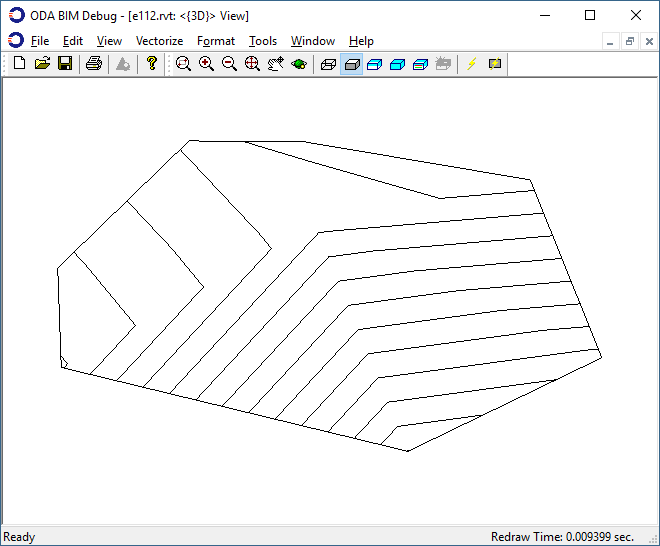
The look of the constructed surface is the same as the first picture in the [second article](https://www.opendesign.com/blog/2020/march/working-topography-surfaces-bimrv-sdk-part-2-3) of the series for creating a surface using points and facets.
## Get started today
**Try ODA software free for 60 days.
No risk, no credit card required.**
[Try for Free](https://www.opendesign.com/free-trial)