[Back to Blog](/blog) # Using Teigha BIM and COLLADA to Examine Autodesk® Revit® File Geometry
Neil Peterson March 09, 2017 [\#Example](/blog/tag/example) [\#rfa](/blog/tag/rfa) [\#rvt](/blog/tag/rvt) [\#export](/blog/tag/export)
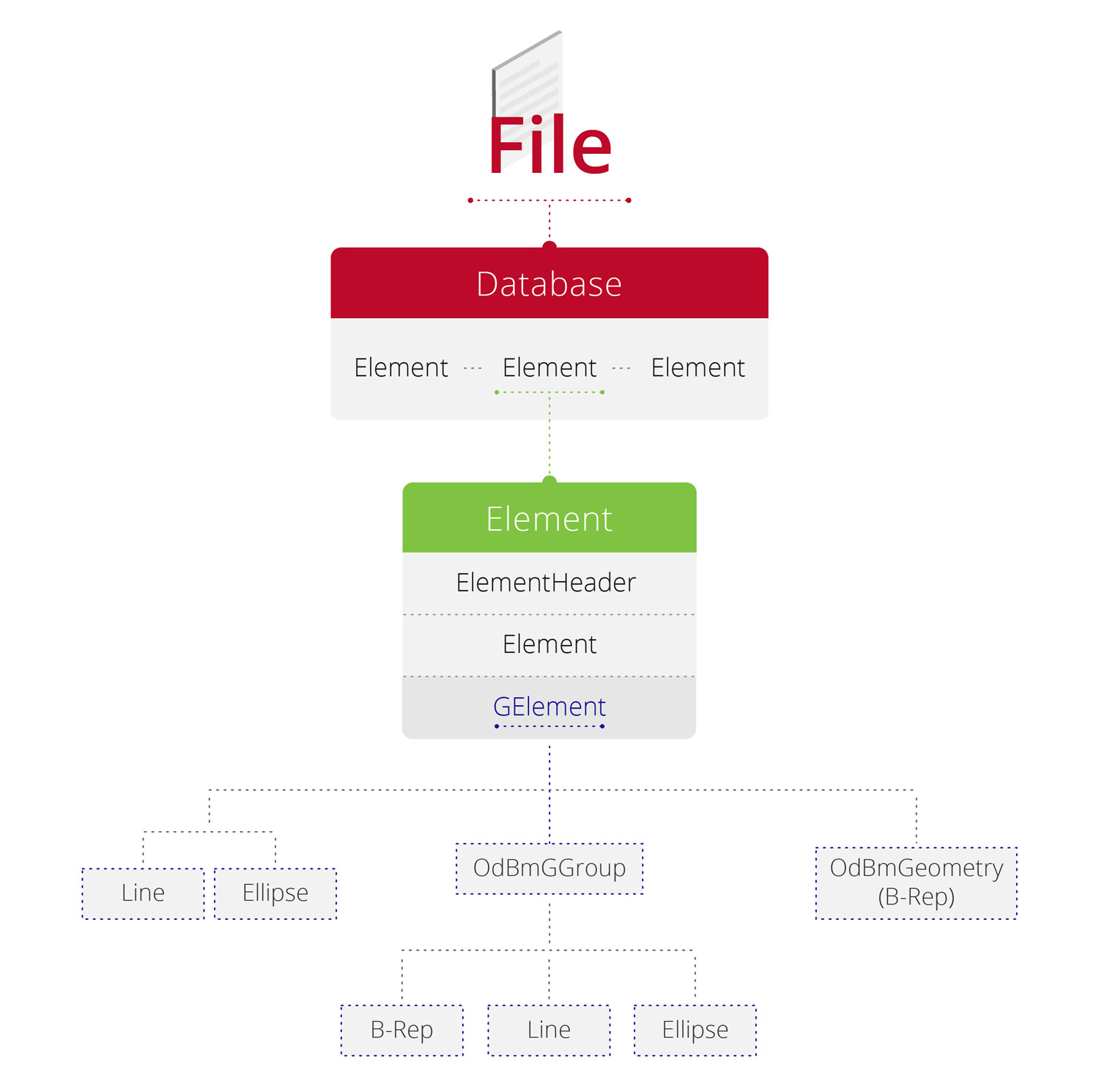
If you're new to working with Autodesk® Revit® files, looking at a file's geometry can be a good place to start. The file is actually a set of elements that correspond to BIM components such as walls or dimensions.
[](/files/inline-images/Illustration-01.jpg)
Each element has three parts:
- ElementHeader – element’s basic data
- Element – element-specific properties
- GElement – geometry
In this article we are going to talk about the third part, GElement – an element’s geometry. A GElement contains a set of geometry nodes combined into groups, which represent the geometry used for different types of views. Most low-level geometry is stored as proprietary Boundary Representation (B-Rep) data.
The relationship between an element and its B-Rep geometry is often quite complex. One way to simplify the investigation of this data is to export the geometry to a well-documented open format such as COLLADA. Teigha’s COLLADA export module collects simplified geometry for 3D objects, lights and materials and exports it to a COLLADA .dae file. The resulting .dae file may be opened and rendered by a number of third-party viewers or by the OdaBimApp sample application included in Teigha BIM. You can export the geometry from an entire file using the active view, or export a single BIM element to facilitate the investigation of a particular object.
The COLLADA export module may also be used as a basis for designing a custom export to convert Autodesk Revit file geometry to a custom representation. A custom export module must implement the following interfaces:
- OdGiGeometrySimplifier
- OdGiBaseVectorizer
- OdGsBaseMaterialVectorizer
[](/files/inline-images/Illustration-06.jpg)
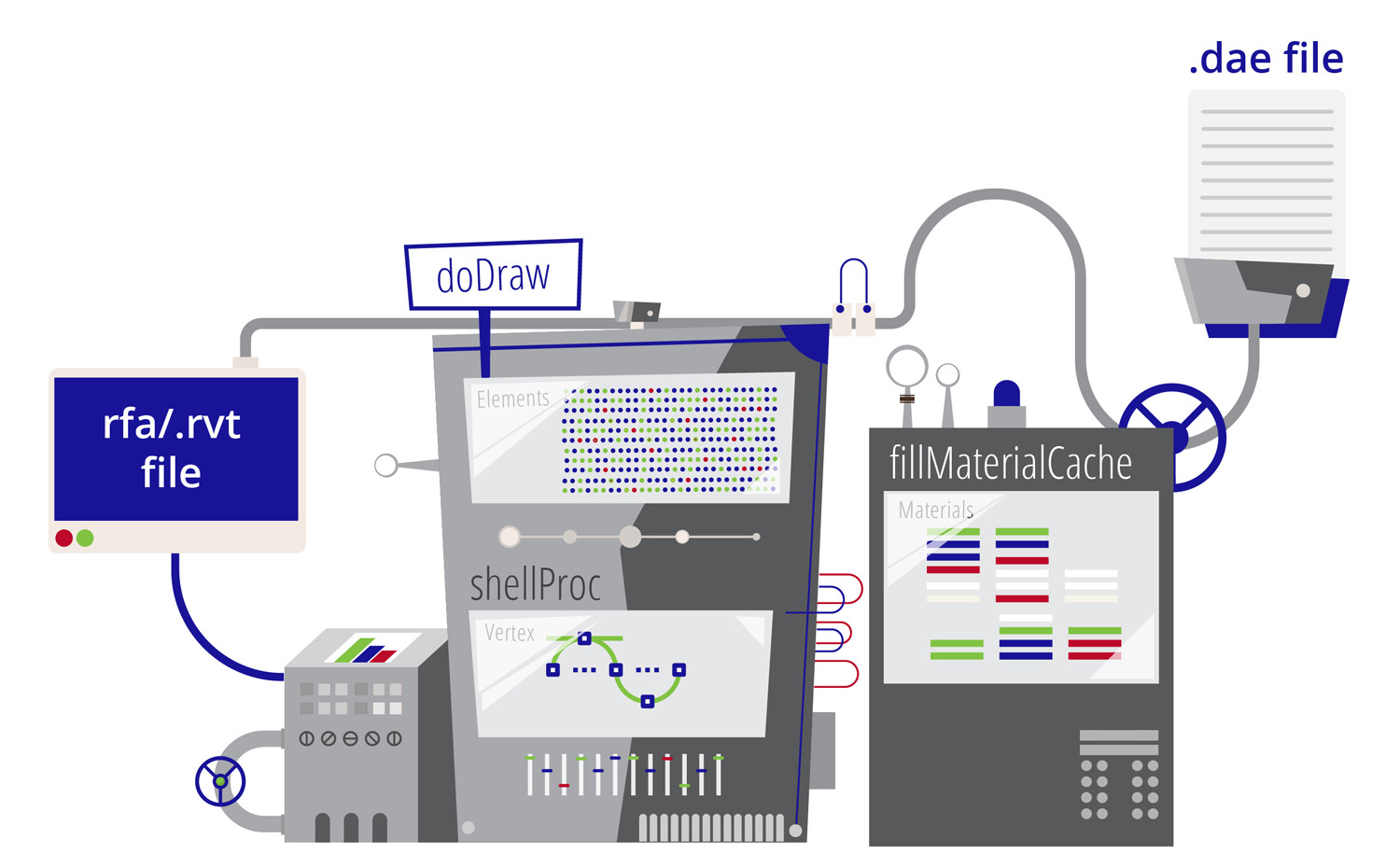
The following is a list of key methods implemented in OdColladaOut, Teigha BIM’s COLLADA export sample application:
- **OdGiBaseVectorizer::doDraw** – called for every element and for all objects inside an element.
- **OdGiBaseVectorizer::rasterImageDc/image/shape/text/mesh/shell** – perform processing for specific entity types.
- **OdGiGeometrySimplifier::shellProc** – adds all vertices of the shell to a container.
- **OdGiGeometrySimplifier::triangleOut** – collects information about triangles on a shell and computes normals for vertices.
- **OdGsBaseMaterialVectorizer::fillMaterialCache** – gets material parameters.
- **OdGiGeometrySimplifier::meshFaceOut**, shellFaceOut – collects mappings of materials to triangles.
Implementing these methods in your custom classes gives you the opportunity to perform any necessary conversion to your custom data representation and provides a deeper understanding of the Autodesk Revit file content.
Subscribers can find more information about Teigha BIM in the [online help.](https://docs.opendesign.com/tbim/tbim_version_html.html)
Autodesk and Revit are registered trademarks or trademarks of Autodesk, Inc., in the USA and other countries.
## Get started today
**Try ODA software free for 60 days.
No risk, no credit card required.**
[Try for Free](https://www.opendesign.com/free-trial)