[Back to Blog](/blog) # Teigha Viewer: An Easy Way to Get Familiar with Teigha
Yuri Moskovsky March 23, 2017 [\#getting started](/blog/tag/getting-started)
If you are new to Teigha and want to try its features without a login and trial license agreement, you can download **Teigha Viewer** — a free application that illustrates Teigha features. Download **Teigha Viewer** from [this page](/guestfiles/teigha_viewer). Choose the version that fits your requirements (operating system, etc.).
Run **Teigha Viewer** and open a file. Look through the **Teigha Viewer** menus and toolbar to get a brief impression of what can be implemented in a Teigha-based application.
[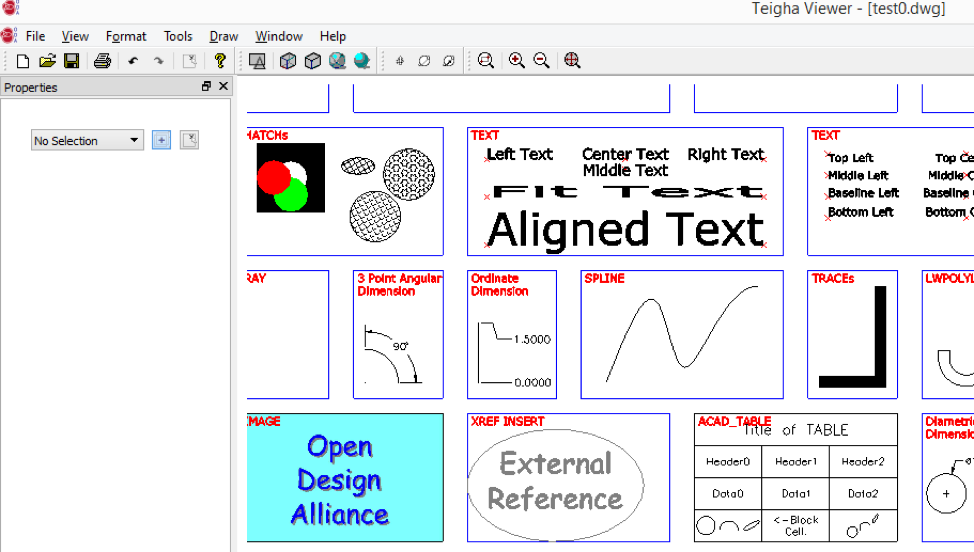](/files/images/blog/2017-03-23-pic1.png)
A brief overview of **Teigha Viewer** features includes:
- Load, save, print, and render .dwg, .dxf, .dgn, .dwf files.
- Recover and audit damaged .dwg files.
- Create new .dwg files.
- Zoom, pan, orbit, and select various preset 3D views.
- Select and deselect items in a drawing. Delete items from a drawing.
- Undo and redo operations in .dwg files.
- Draw boxes, spheres, and lines.
- Insert raster images into existing .dwg files.
- Experience a wide range of ready-to-use commands that implement various features.
It is also possible to enlarge the set of features with additional bridge modules, for instance **TD\_BimDb.tx** for members of the **Teigha BIM** Special Interest Group.
## Get started today
**Try ODA software free for 60 days.
No risk, no credit card required.**
[Try for Free](https://www.opendesign.com/free-trial)